 Mailbox Rescue
Open Outlook PST, OST and MSG files without Outlook
Mailbox Rescue is a Windows app that opens, searches and exports Outlook data files on your own PC. No Outlook, no Microsoft 365 subscription, no uploading your email to a website.
Windows 10 and 11, Intel/AMD and ARM. No account needed. Works offline.
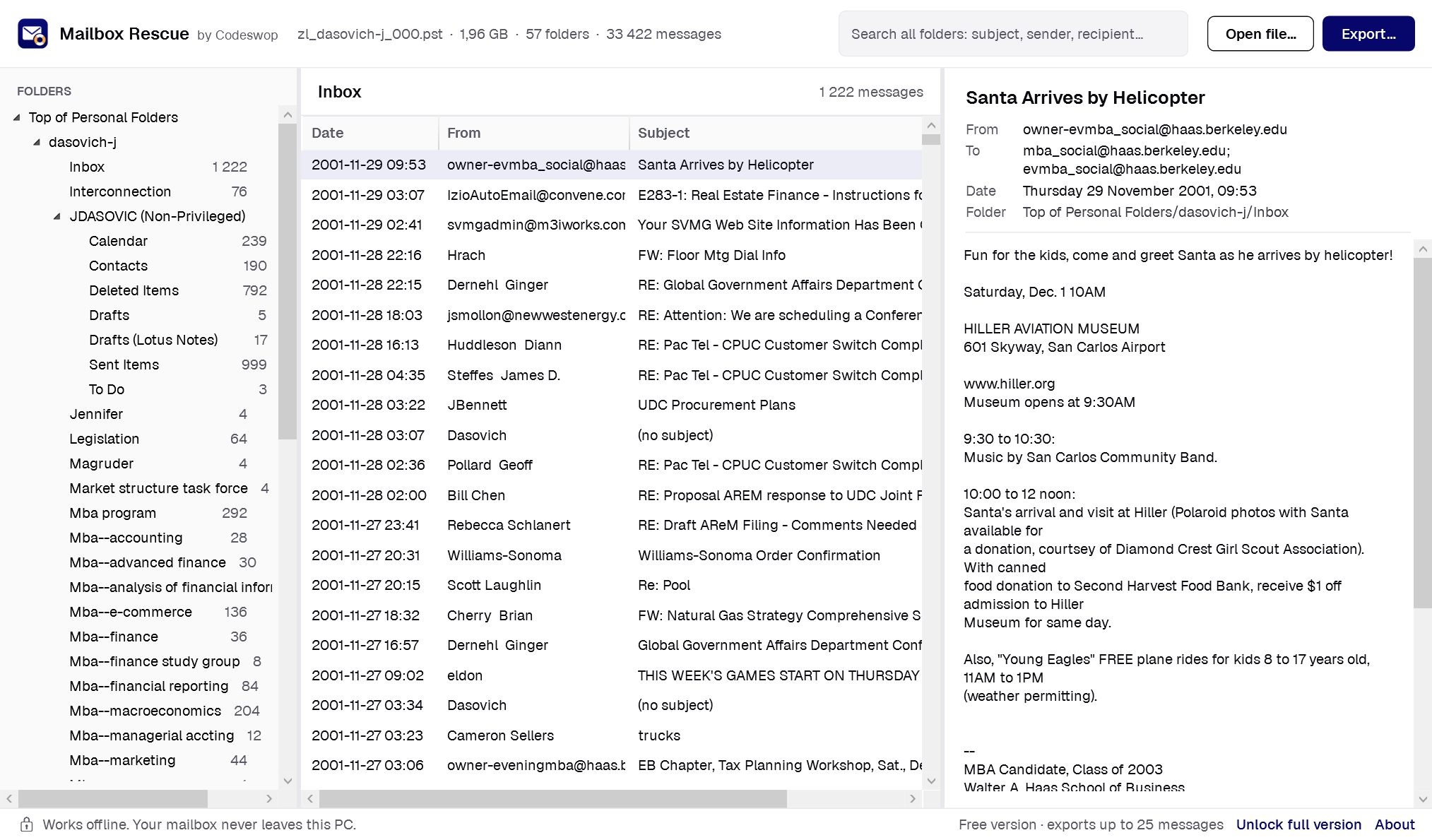
Screenshots use the public EDRM Enron Email Data Set by ZL Technologies, Inc. (zlti.com), licensed under CC BY 3.0 US.
What can Mailbox Rescue do?
- Open PST and OST files of any size, plus single .msg files or whole folders of them.
- Browse the original folder tree and read every message, with sender, recipients, date and attachments.
- Search every folder at once by subject, sender or recipient.
- Export to EML files (one per message, in your folder structure), MBOX files (for Thunderbird and Apple Mail), a spreadsheet index (CSV) and the attachments as separate files.
- Prove nothing was lost: every export ends with a completeness report that compares, folder by folder, what the file holds with what was exported.
Why your mailbox stays private
Online converters ask you to upload your mailbox. A PST file holds years of private and business email, so Mailbox Rescue never does that. It reads the file on your PC, works without an internet connection, and writes the export to a folder you choose.
How do I know the export is complete?
Each folder inside a PST or OST records how many messages it holds. Mailbox Rescue reads every message, exports it, then reads each exported message back with a standard email parser to check it, attachments included. The report lists any message that could not be read or exported, so nothing goes missing silently.
| Test file (public Enron mailbox) | Messages | Attachments | Time |
|---|---|---|---|
| 2.1 GB PST, 57 folders | 33,422 of 33,422 exported and checked | 12,123 of 12,123 | about 2 minutes |
Free and full version
Free
Open, read and search everything
- Open PST, OST and MSG files of any size
- Browse, read and search every folder
- Save single attachments
- Export the first 25 messages, with the completeness report
- Use it on any number of PCs
Full version
$9.99 once · No subscription · Up to 3 PCs
- Everything in the free version
- Export every message and attachment
- EML, MBOX, spreadsheet index and attachment files
- Unlocks the app you already have with a licence key
No subscription. Unlock the full version from inside the app with the key you receive by email.
Frequently asked questions
Do I need Outlook or a Microsoft 365 subscription?
No. Mailbox Rescue reads PST, OST and MSG files directly. Outlook does not need to be installed, and no Microsoft account or subscription is needed.
Is my mailbox uploaded anywhere?
No. Everything happens on your PC. The only thing the app ever sends over the internet is your licence key when you unlock the full version.
What does the free version do?
It opens, searches and shows every message, and saves single attachments, without limits. Bulk export stops after 25 messages so you can check the result before you buy.
Is it a subscription?
No. The full version is $9.99 once and works on up to 3 PCs.
Can it open OST files?
Yes. OST files are Outlook's offline copies of Exchange, Microsoft 365 and IMAP mailboxes. Mailbox Rescue opens them without the original account or Outlook.
Does it work on ARM laptops such as Snapdragon PCs?
Yes. There is a native ARM64 version as well as the usual x64 version.
Can it convert OST to PST?
Not yet. It exports OST mailboxes to EML and MBOX, which Thunderbird, Apple Mail and most email programs can import.
Is there a Mac version?
No, Mailbox Rescue is for Windows 10 and 11 only.
Who makes Mailbox Rescue?
Codeswop (Pty) Ltd, a product engineering studio in Cape Town, South Africa, founded in 2016. Its engineers build and support the app. Questions go to info@codeswop.com.
Updated 2026-11-08