 Mailbox Rescue
Open MSG files without Outlook
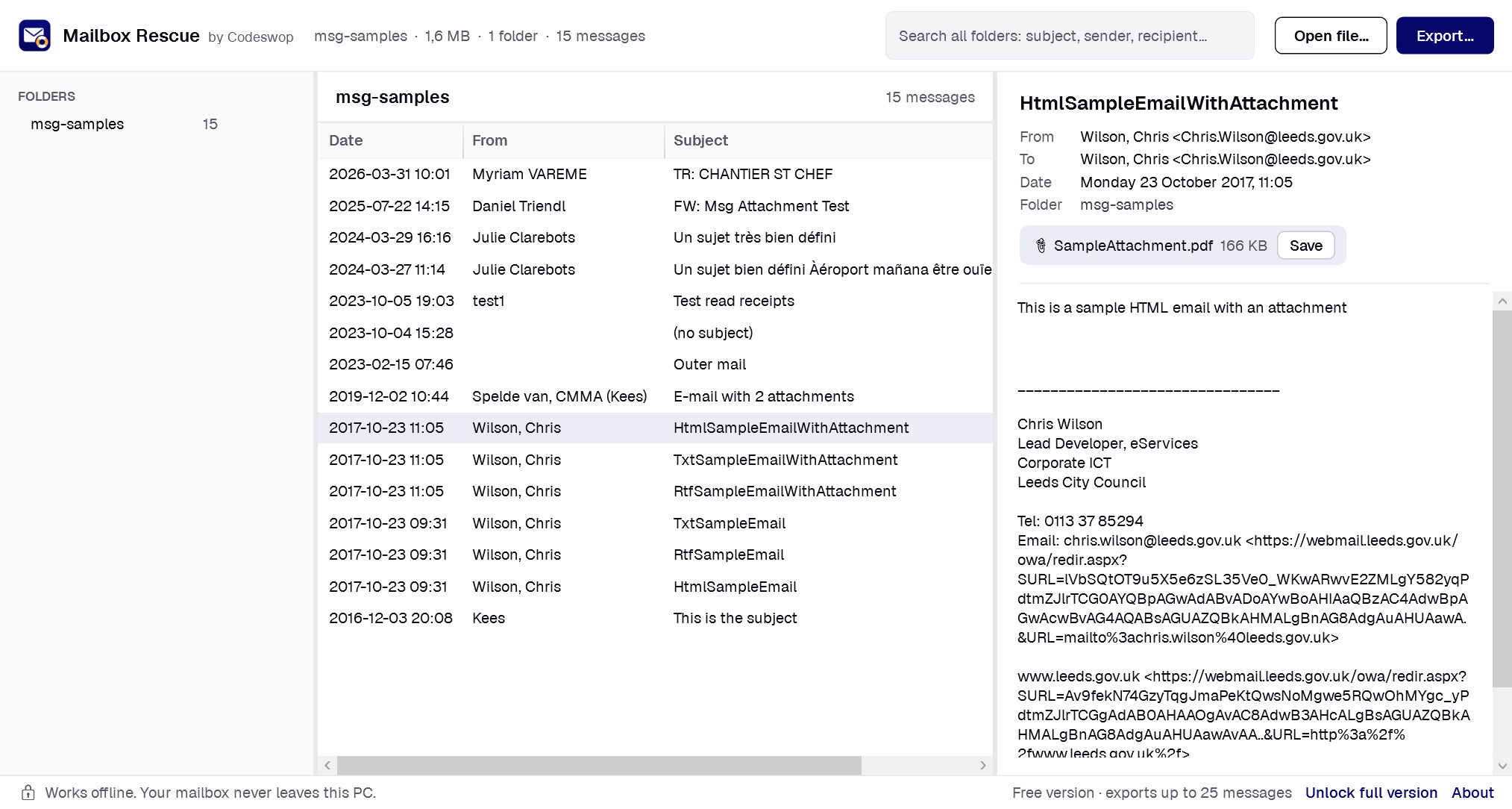
A .msg file is a single email saved from Outlook. Mailbox Rescue opens .msg files without Outlook: one file, several, or a whole folder of them. It shows the message with its attachments and can save them as standard .eml files.
Steps
- Drag one or more .msg files, or a folder of them, onto Mailbox Rescue.
- Click a message to read it and save its attachments.
- To convert many .msg files at once, click Export and choose EML, MBOX or a spreadsheet index.
What about attached emails?
Emails attached inside a .msg are kept as attached .eml messages, so nothing is flattened or lost.
Windows 10 and 11, Intel/AMD and ARM. No account needed. Works offline.
Frequently asked questions
Do I need Outlook or a Microsoft 365 subscription?
No. Mailbox Rescue reads PST, OST and MSG files directly. Outlook does not need to be installed, and no Microsoft account or subscription is needed.
Is my mailbox uploaded anywhere?
No. Everything happens on your PC. The only thing the app ever sends over the internet is your licence key when you unlock the full version.
What does the free version do?
It opens, searches and shows every message, and saves single attachments, without limits. Bulk export stops after 25 messages so you can check the result before you buy.
Is it a subscription?
No. The full version is $9.99 once and works on up to 3 PCs.
Updated 2026-11-08